Bear Callouts
Return to support library
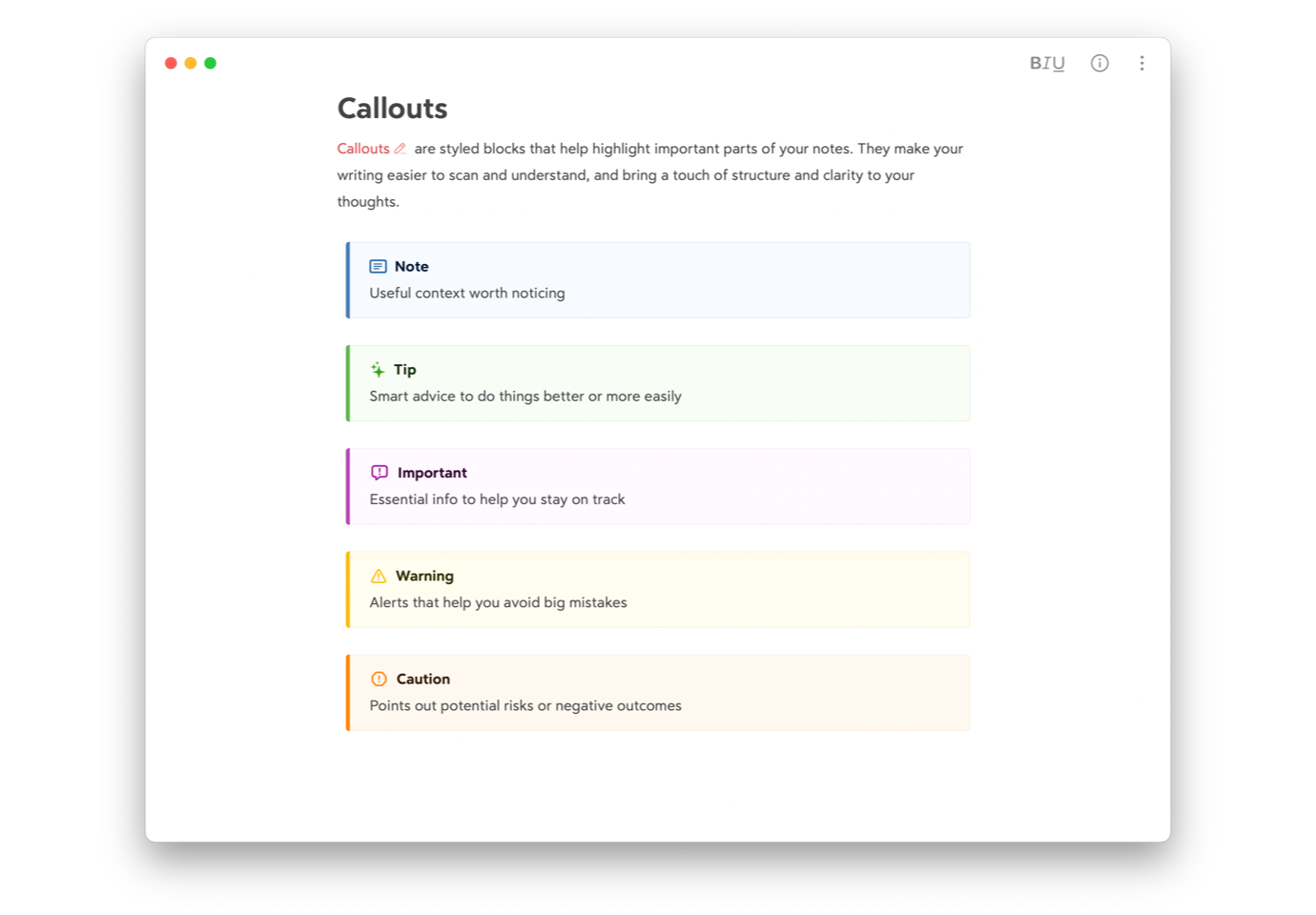
Callouts are styled blocks designed to emphasize significant content, such as tips, warnings, or notes. Bear supports five types of Callouts:
- Note – Useful context worth noticing
- Tip – Smart advice to do things better or more easily
- Important – Essential info to help you stay on track
- Warning – Alerts that help you avoid big mistakes
- Caution – Points out potential risks or negative outcomes
Callouts in Markdown
Callouts aren’t part of standard Markdown, but they’ve been widely used as a Markdown extension in the wild. A callout starts with a quote block >, followed by square brackets containing an exclamation mark and the callout type, for example, [!NOTE], [!TIP], or [!WARNING]. The following line in the same quote block contains the callout content. For example:
> [!TIP]
> This is callout content
How to Add a Callout
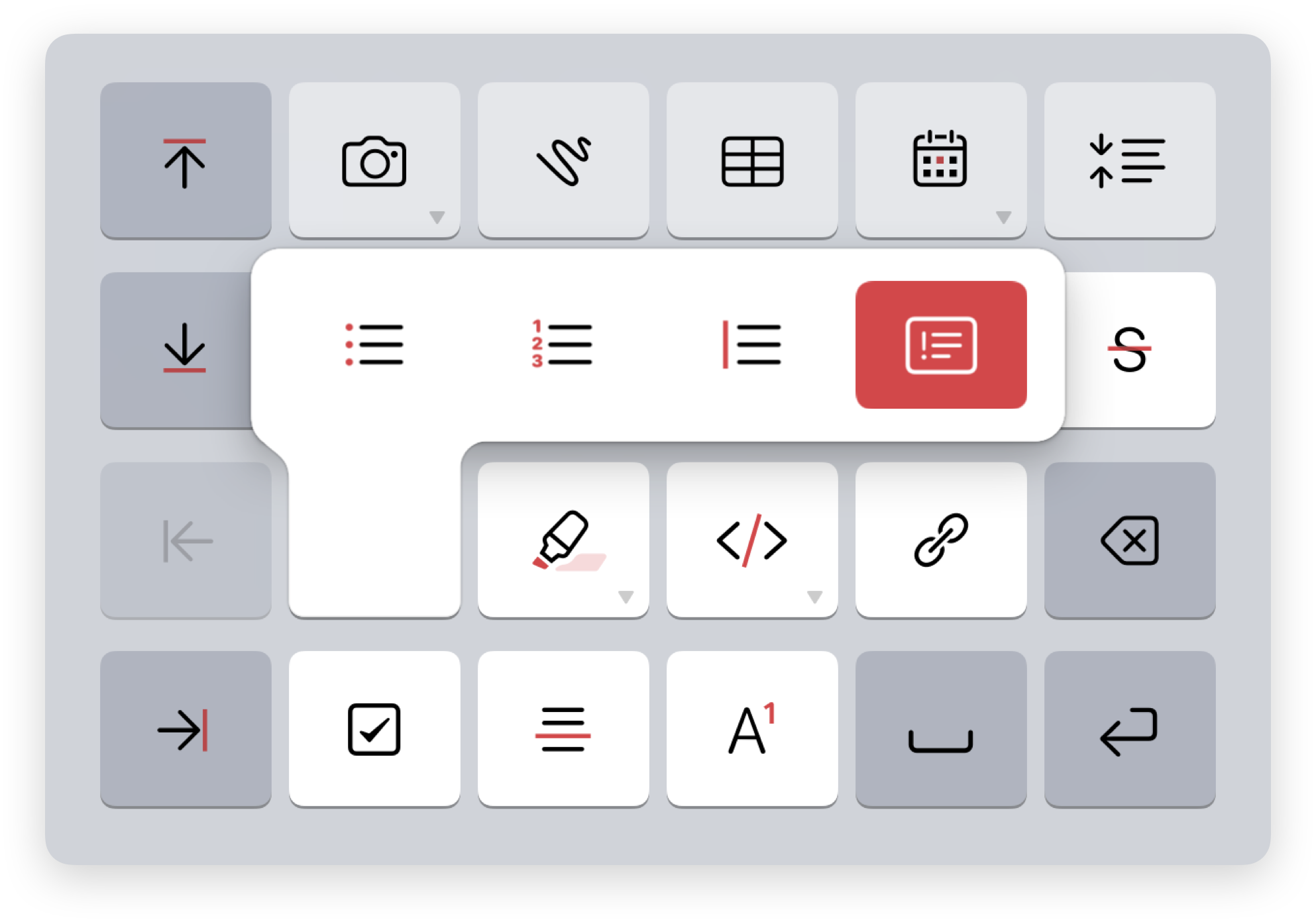
- On Mac: Go to Menu bar > Format > Callout, or click the BIU formatting bar, then click the list button and select Callout
- On iOS/iPadOS: Tap the BIU bar, then long press the list button and select the Callout button
How to change the Callout type
To switch a Callout from one type to another (e.g. from Caution to Warning), simple click or tap the icon that shows the current Callout type (to the left of the title). A menu will appear where you can select a different type.
Tips
Write content in Callouts
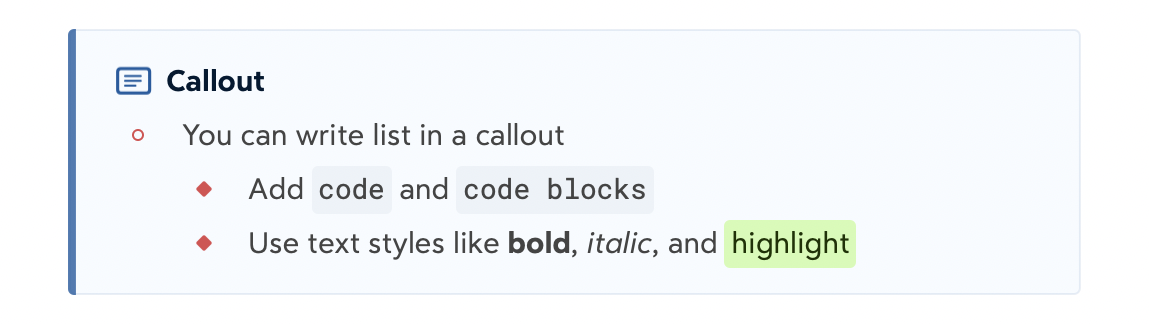
Callouts support rich formatting, so you can include detailed content like lists, inline code, and styled text:
Customize Callout title
By default, the title of a callout matches its type. You can personalize it by adding custom text after the type identifier. For example:

Title-only Callouts
You can also use callouts without any content:
